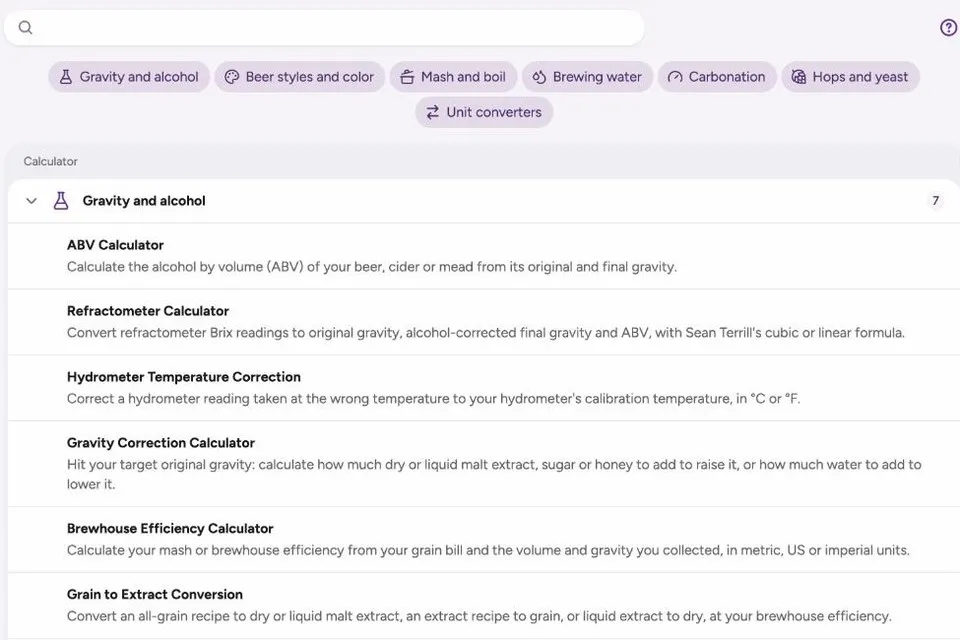
Every brew day has a few numbers to work out: how hot the strike water should be, how much priming sugar to add, what a refractometer reading means once there’s alcohol in the beer. Foambyte’s Brewing Calculators answer those questions with published formulas, show how each result is worked out, and keep all the tools in one place.
Who the Brewing Calculators are for
They’re for homebrewers who want quick, reliable answers on brew day, and for nano and small breweries that need consistent numbers for scaling, carbonation and quality checks. Cider and mead makers have their own tools too, such as chaptalization for raising a must’s gravity.
How to use a calculator
- Find the calculator. Search by name or browse the groups: gravity and alcohol, beer styles and color, mash and boil, brewing water, carbonation, hops and yeast, and unit converters.
- Enter your measurements. Each field shows its unit; check whether it needs a starting, current or target value.
- Read the result. Results update as you type, and each calculator includes a short worked example.
- See how it’s calculated. Open “How is it calculated?” for the formula and its sources.
What you can do with the Brewing Calculators
- Gravity and alcohol: ABV, refractometer, hydrometer temperature correction, gravity correction, brewhouse efficiency, grain to extract conversion and chaptalization.
- Color and style: the SRM color calculator, plus the BJCP style guide on foambyte.com.
- Mash and boil: strike water temperature, mash infusion, mash tun calibration and boil-off.
- Brewing water: water salts, residual alkalinity and mash pH.
- Carbonation: priming sugar, keg carbonation and krausening and speise.
- Hops and yeast: IBU, yeast pitch rate, yeast starter and yeast viability.
- Unit converters: gravity, beer color and brewing units.
A worked example: reading a refractometer after fermentation
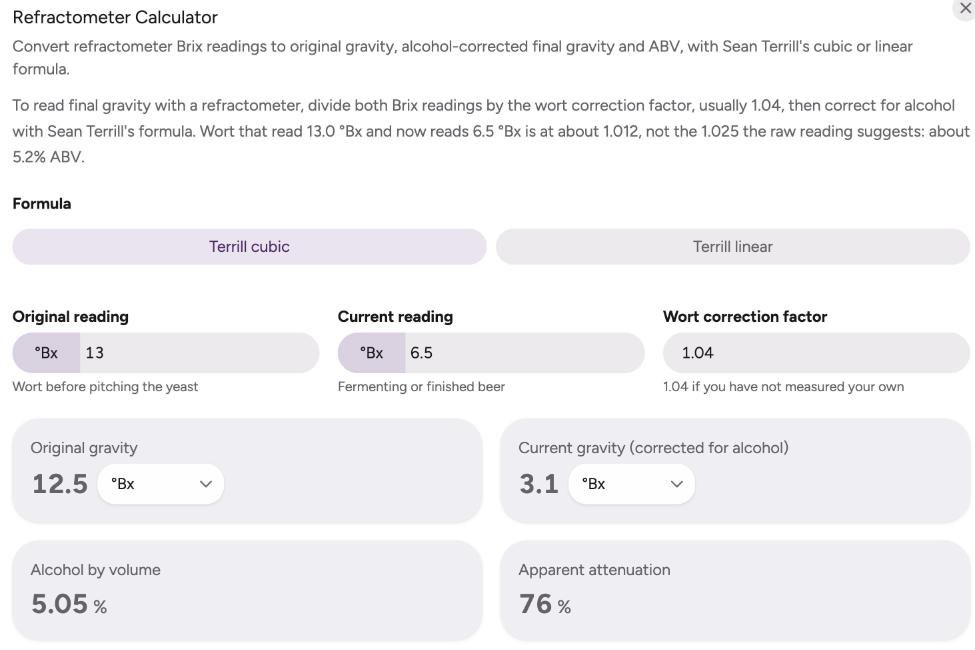
A refractometer measures dissolved sugar, but alcohol bends light too, so once fermentation starts the reading is no longer the real gravity. Wort that read 13.0 °Brix before pitching and reads 6.5 °Brix now looks like a gravity of 1.025. The refractometer calculator divides both readings by the wort correction factor (usually 1.04) and corrects for alcohol with Sean Terrill’s formula: the beer is really at about 1.012, with roughly 5.2 % ABV. Mistaking 1.025 for a stuck fermentation would have been an easy, and expensive, mistake.
Brewing Calculators and the rest of Foambyte
The calculators use the same formulas as Recipe Studio, so checking a number by hand gives the same result as your recipe. In the app they follow your unit preferences, and they’re one click away while you track a batch.
Try the free calculators or create a free account to use them next to your recipes.